
ローカル処理

アプリアイコン生成

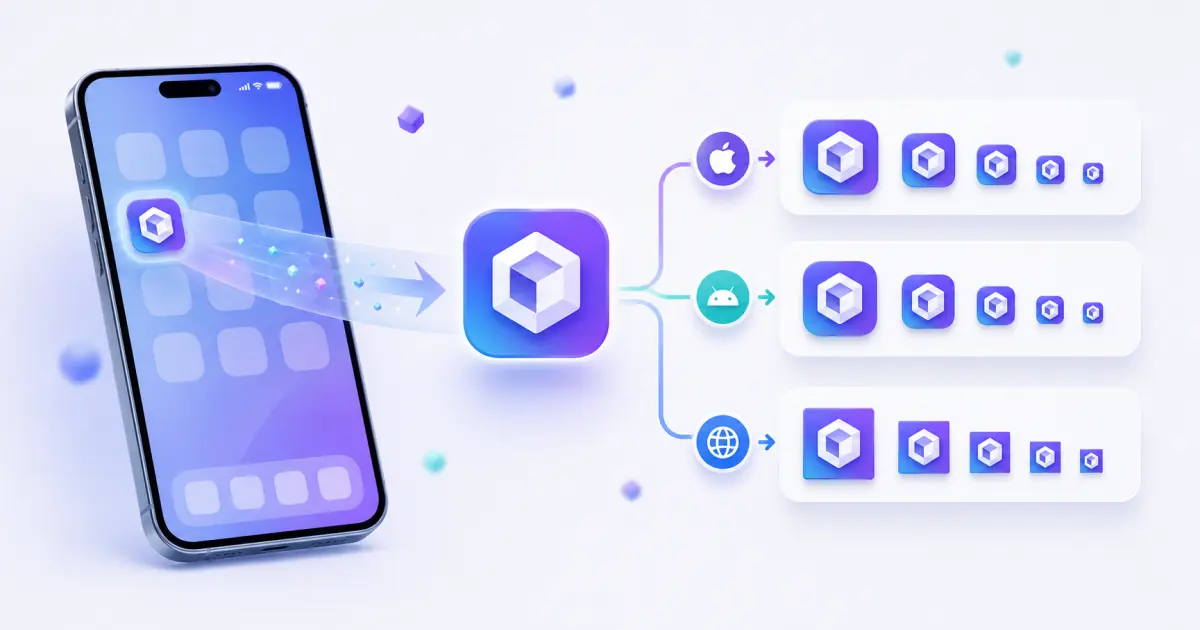
アプリアイコン生成 turns one logo or icon image into common iOS, Android, and PWA app icon sizes with rounded preview, safe-area preview, ZIP export, and manifest icon JSON.

Runs locallyNo uploadYour input is processed in your browser.

アプリアイコン生成

PNG、JPG、WebP、SVG から iOS、Android、PWA のアイコンサイズを生成し、安全領域と角丸を確認できます。

このツールとは?

An app icon generator converts one brand mark, logo, or square artwork into the multiple icon sizes required by mobile apps, Android launchers, and installable web apps. It helps teams export a consistent icon set without sending design files to a server.

対応入力形式

  • PNG images
  • JPG and JPEG images
  • WebP images
  • SVG logos and icons
  • Square source artwork is recommended
  • Large files should be kept under 10 MB for smooth browser processing

出力ファイル

  • app-icon-ios-20.png
  • app-icon-ios-29.png
  • app-icon-ios-40.png
  • app-icon-ios-60.png
  • app-icon-ios-76.png
  • app-icon-ios-83-5.png exported at 167x167
  • app-icon-ios-1024.png
  • Android and PWA icons from 48x48 to 512x512
  • lumatool-app-icon-pack.zip

サイズガイド

  • 20x20, 29x29, 40x40, 60x60, 76x76: common iOS slots.
  • 167x167: iPad Pro 83.5pt icon export.
  • 1024x1024: high-resolution App Store style source.
  • 48x48, 72x72, 96x96, 144x144: Android launcher sizes.
  • 192x192 and 512x512: PWA manifest icons.

入力例

  • Company logo PNG
  • Personal blog avatar
  • SaaS product mark
  • SVG logo
  • Transparent square icon

出力例

  • app-icon-ios-20.png
  • app-icon-ios-29.png
  • app-icon-ios-40.png
  • app-icon-ios-60.png
  • app-icon-ios-76.png
  • app-icon-ios-83-5.png exported at 167x167

よくある用途

  • Export a starter icon pack for iOS, Android, and PWA projects.
  • Check rounded-corner and safe-area behavior before app handoff.
  • Generate web manifest icon JSON for installable web apps.
  • Prepare launcher icon sizes from one source logo.
  • Compare platform-specific outputs before sending files to developers.

ベストプラクティス

  • Start from high-resolution square artwork when possible.
  • Keep the subject centered and avoid tiny text inside small icons.
  • Use transparent backgrounds only when the mark remains visible on light and dark surfaces.
  • Use consistent file paths between exported files and HTML code.
  • After replacing favicons, clear browser cache or change filenames if the old icon remains visible.

よくあるミス

  • Uploading a low-resolution source and expecting sharp large icons.
  • Using artwork that touches the edge and gets clipped after rounding or cover mode.
  • Shipping only favicon.ico and forgetting Apple Touch Icon or manifest icons.
  • Leaving HTML paths that do not match the files in the public folder.
  • Not previewing 16x16 and 32x32 outputs before release.

プライバシーとローカル処理

ファイルはブラウザ内でローカル処理され、LumaTool サーバーへアップロードされません。画像の読み込み、Canvas リサイズ、ICO、ZIP、manifest、HTML 生成はクライアント側で完了します。

入力例

入力例
Company logo PNG
Personal blog avatar
SaaS product mark
出力例
app-icon-ios-20.png
app-icon-ios-29.png
app-icon-ios-40.png

アプリアイコン生成 turns one logo or icon image into common iOS, Android, and PWA app icon sizes with rounded preview, safe-area preview, ZIP export, and manifest icon JSON.

出力例

入力例
one source icon image
出力例
app-icon-ios-20.png
app-icon-ios-29.png
app-icon-ios-40.png
app-icon-ios-60.png
app-icon-ios-76.png

ファイルはブラウザ内でローカル処理され、LumaTool サーバーへアップロードされません。画像の読み込み、Canvas リサイズ、ICO、ZIP、manifest、HTML 生成はクライアント側で完了します。

プライバシーに関する注意

ファイルはブラウザ内でローカル処理され、LumaTool サーバーへアップロードされません。画像の読み込み、Canvas リサイズ、ICO、ZIP、manifest、HTML 生成はクライアント側で完了します。

使い方

  1. ステップ 1. 画像をアップロードするか、アイコンパスを入力します。
  2. ステップ 2. Web サイト、アプリ、PWA に合う出力を選びます。
  3. ステップ 3. プレビュー、生成ファイル、manifest、HTML を確認します。
  4. ステップ 4. 単体ファイル、ZIP、または生成コードを利用します。

実際の利用例

Export a starter icon pack for iOS, Android, and PWA projects

Export a starter icon pack for iOS, Android, and PWA projects.

Check rounded-corner and safe-area behavior before app handoff

Check rounded-corner and safe-area behavior before app handoff.

Generate web manifest icon JSON for installable web apps

Generate web manifest icon JSON for installable web apps.

主な用途

  • Export a starter icon pack for iOS, Android, and PWA projects.
  • Check rounded-corner and safe-area behavior before app handoff.
  • Generate web manifest icon JSON for installable web apps.
  • Prepare launcher icon sizes from one source logo.
  • Compare platform-specific outputs before sending files to developers.

FAQ

What image size should I upload?

A square 1024x1024 image is a strong source because it can scale down cleanly to smaller app icon sizes.

Can I generate both iOS and Android icons?

Yes. Choose all platforms or filter the output to iOS, Android, or PWA.

Does this tool upload my app icon?

いいえ。処理はブラウザ内で行われ、ファイルは LumaTool サーバーへ送信されません。

What is the difference between app icon and favicon?

App icons are used by mobile launchers, stores, and installed apps. Favicons are primarily used by websites, browser tabs, bookmarks, and PWA metadata.

Why do I need 192x192 and 512x512 icons?

These are common PWA manifest sizes used for install prompts, launchers, and high-resolution surfaces.

Can I use the generated icons in a PWA?

Yes. Use the Android/PWA PNG files and copy the generated manifest icons JSON into your web manifest.

アプリアイコン生成 は何に向いていますか?

アプリアイコン生成 は、ブラウザ上で素早く確認、変換、整理、整形したい アイコンツール 系の作業に向いています。

入力内容はどのように扱われますか?

ファイルはブラウザ内でローカル処理され、LumaTool サーバーへアップロードされません。画像の読み込み、Canvas リサイズ、ICO、ZIP、manifest、HTML 生成はクライアント側で完了します。

関連ツール